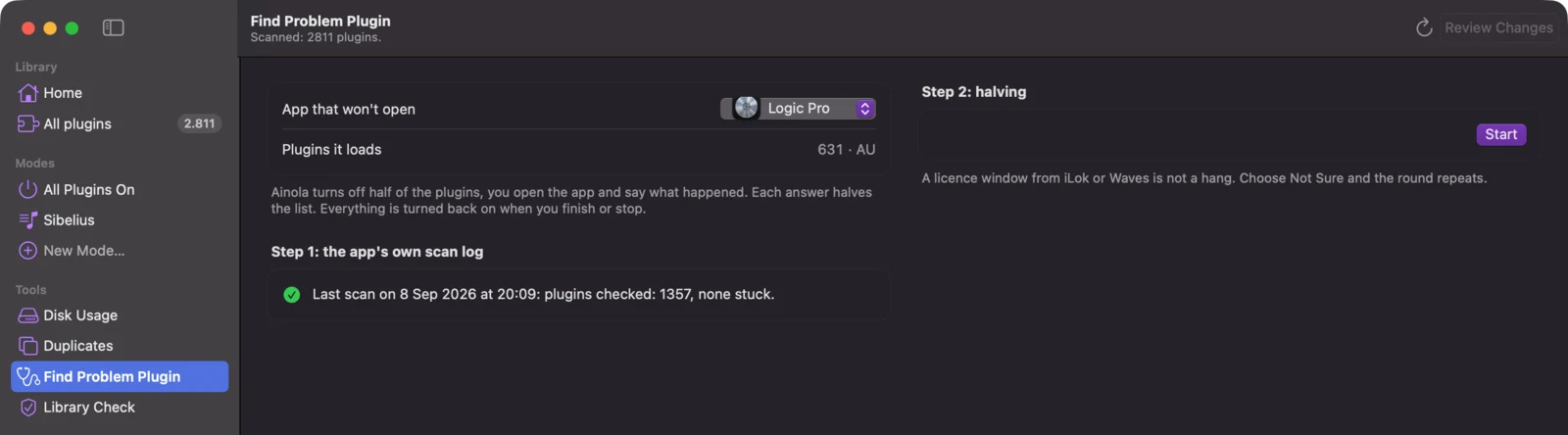
 Ainola

Covers LUNA on a Mac with third-party Audio Units and VST3 plug-ins. For Apollo and VOLT 876 sync problems, UA's crash article has its own steps, summed up below.
Why a plugin can freeze LUNA
LUNA loads plugins from other makers next to its own. Besides UAD DSP and UADx plug-ins, LUNA hosts Audio Units and VST3. On a Mac, Audio Units are on by default and VST3 stays off until you enable it in the Plug-In Manager (Universal Audio support). Universal Audio's crash article covers freezes or crashes while LUNA launches and sessions that hang while opening, and says that "occasionally, an incompatible third-party plug-in can cause issues" (Universal Audio support).
We checked this on a Mac with LUNA 3.1.0: LUNA scans plugins with a separate helper, UA Plug-In Scanner, inside the LUNA app. A community report describes LUNA and Logic both hanging while scanning one plugin after its update; a clean reinstall of that plugin and a restart fixed it (Rig-Talk forum).
Find the plugin in LUNA's Plug-In Manager
This is Universal Audio's own way to find a faulty plugin, and it works whenever LUNA gets far enough to open its settings (Universal Audio support):
- Choose Settings from the LUNA menus and click the Plug-Ins tab. You can also click the three dots at the top left of the LUNA window and choose Manage Plug-Ins.
- Turn on the Ignore switch for the third-party Audio Units and VST3 plug-ins, at least the ones the crashing session uses. An ignored plugin is removed from LUNA's plug-in browser.
- Open the session again. If it opens with them ignored, one of those plugins is the problem.
- Turn Ignore off for one group of plugins at a time, and reopen the session after each group. When it crashes again, the plugin is in the group you just turned back on.
- Update that plugin from its maker, check that it supports your macOS version, and restart the Mac if the installer asks. UA also asks you to report the plugin name and version with LUNA's Feedback button.
The same Plug-In Manager shows a Status for each plugin: new (not scanned yet), scanned or rejected. After an update, Rescan All scans every plugin again, New Plug-Ins scans only new and updated ones, and the Scan or Rescan button at the end of a row checks a single plugin (Universal Audio support).
When LUNA freezes before it opens
Universal Audio's first step for a freeze at launch is a clean reinstall with the preference files removed, and then a check that your Mac meets LUNA's system requirements and runs the latest UAD software in UA Connect (Universal Audio support). The preference steps for macOS (Universal Audio support):
- Quit LUNA, or force quit it if it is frozen.
- In Finder press Command-Shift-G and enter
~/Library/.Application Support/ Universal Audio - Remove the whole
workspacefolder. It holds LUNA's settings and its plugin cache, and you will have to log in to LUNA again. UA says to delete it; moving it to a folder on your Desktop does the same job and leaves you a way back. - Go to
~/Library/and removePreferences com.uaudio.luna.plistif it is there. On our Mac with LUNA 3.1.0 it was not. - In
~/Library/, removePreferences/ Universal Audio LUNAprefs.json(spelled LUNAPrefs.json on our Mac). - Empty the Trash if you deleted the files, then reinstall LUNA from the LUNA tab in UA Connect.
Fresh preferences reset LUNA's list of recent sessions, so find any sessions you keep outside LUNA's default session folder first. With an Apollo or VOLT 876, UA also suggests (Universal Audio support) quitting the Mixer Server: close LUNA, open UAD Console, press Control-Option-Command-Q, turn the interface off and on, let UAD Console sync, then open LUNA.
Take plugins out of their folders, half at a time
If LUNA still freezes after a clean start, test the plugins on disk. Audio Units live in /Library/ (Universal Audio support). Start there, because Audio Units are the format LUNA loads by default on a Mac. Include the VST3 folders only if you turned VST3 on in LUNA.
- Quit LUNA.
- In Finder choose Go, then Go to Folder, and enter
/Library/. CheckAudio/ Plug-Ins/ Components ~/Library/too.Audio/ Plug-Ins/ Components - Make a folder such as Components quarantined on your Desktop. Select half of the plugins, press Command-C, open the new folder and press Command-Option-V, which moves them instead of copying.
- Open LUNA. If it opens, the plugin is in the half you moved; if not, it is in the half that stayed. Keep halving that group.
- Put every plugin back except the one that freezes LUNA, then update it or leave it out. If some are missing in LUNA afterwards, click New Plug-Ins or Rescan All in the Plug-In Manager.
A moved plugin is gone for Logic Pro and every other app on the Mac too until you put it back, so keep track of which folder each half came from.
Where LUNA keeps its plugin list
Universal Audio's older article on missing Audio Units names a cache file called AUPlug-Ins.json in ~/Library/ (Universal Audio support). On our Mac with LUNA 3.1.0 that file is not there. The same folder holds one file per format instead, au.json, vst3.json, vst2.json and uadx.json, with a scan state for every plugin. UA does not document those files, so for a full reset use the workspace step above, and for a single plugin use Rescan in the Plug-In Manager.