 Ainola

Covers DaVinci Resolve and DaVinci Resolve Studio on a Mac, at the Loading Audio Plugins step. Stuck on loading video plugins is a different problem with OpenFX plugins, see below.
Why Resolve gets stuck on audio plugins
A video app scans plugins installed for music. Resolve has its own audio page, Fairlight, so at launch it reads the Audio Units, VST 3 and VST plugins on the Mac, including every plugin you installed for Logic Pro, Cubase or another DAW. We checked DaVinci Resolve 21 on a studio Mac: its plugin lists in ~/Library/ held 625 Audio Unit entries, 605 VST 3 entries and 517 VST entries, and the VST 3 list marked five plugins as not working and disabled.
One plugin that hangs during that check holds the whole launch. A user reported on the Blackmagic forum that the scan has no timeout, starts again from the beginning at every launch and fails at the same VST plugin, one he does not need in Resolve but uses in other hosts (community report, Resolve 17). A Resolve 20 beta user on macOS 15.5 reported Resolve crashing instantly at launch until he moved the last VST he had added out of the VST3 folder (community report). A single Audio Unit can also take Resolve down when you insert it in Fairlight (community report, Resolve 19.1.2).
Turn plugins off in Resolve's preferences
Once Resolve opens, this is the native place to manage audio plugins. The panel is called Audio Plugins and sits with the System preferences (Blackmagic forum). Waves points its users to the same panel (Waves support), and in 2016 a colorist with Logic and Universal Audio plugins on the same Mac wrote that he disabled them there in pursuit of stability (community report).
- Choose DaVinci Resolve, then Preferences, and open the System tab.
- Click Audio Plugins. VST Effects lists the plugin folders Resolve reads, and Available Plugins lists the plugins it found.
- Turn off the plugins you do not use in Fairlight, especially the one you installed or updated just before the trouble started.
- Click Save and restart Resolve.
This is a good tool when Resolve opens slowly but opens. We could not find a Blackmagic statement that a plugin turned off here is skipped by the check at launch, so if Resolve still hangs, or does not open at all, use the folder method below.
Rescan audio plugins in DaVinci Resolve
Resolve keeps its plugin list in a file, and a fresh file makes it scan again. Waves gives these steps for plugins that do not show up in Resolve (Waves support):
- Quit Resolve.
- In Finder, open the Go menu, hold Option and click Library.
- Open Preferences, then Blackmagic Design, DaVinci Resolve, Fairlight, Effects.
- Move
VST3Configuration.xmlto your Desktop and open Resolve. It builds a new VST 3 list. If everything works, you can delete the old file.
On the Mac we checked, the same folder also holds AUConfiguration.xml for Audio Units and FXConfiguration.xml for VST plugins. Waves only describes the VST 3 file. A rescan fixes a stale list, not a broken plugin: if one plugin hangs the check, it will hang the new scan too. A Resolve 19 user also fixed missing plugins by removing the folders from the VST Effects list, restarting, and adding the same folders back (community report).
When Resolve will not open at all
Take plugins out of their folders until Resolve gets past the check. This is what the Resolve 20 user above did, and it works for any audio plugin format:
- Quit Resolve, or force quit it if it is stuck.
- In Finder choose Go, then Go to Folder, and open
/Library/. Resolve reads three folders there:Audio/ Plug-Ins VST3,VSTandComponents, which holds the Audio Units. Plugins can also sit in the same folders under~/Library/.Audio/ Plug-Ins - Make a folder such as Plug-Ins quarantined on your Desktop. Move the plugin you added or updated last into it first: select it, press Command-C, open the new folder and press Command-Option-V, which moves it instead of copying.
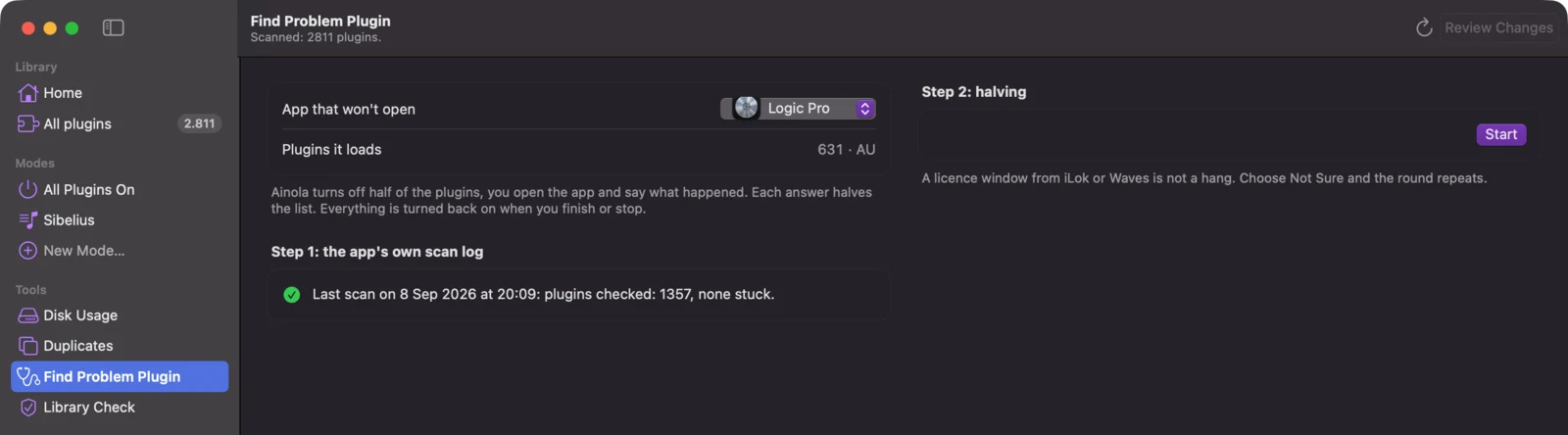
- Open Resolve. If it still stops, move half of the remaining plugins and try again. If it opens, the plugin is in the half you moved; if not, it is in the half that stayed. Keep halving that group.
- Put every plugin back except the one that breaks the launch, then update it or leave it out.
While plugins sit in that folder, your DAW does not see them either. Put them back before you open Logic Pro or any other music app.
Stuck on loading video plugins instead?
That step loads OpenFX (OFX) video effects, which Resolve reads from /Library/ on a Mac. They are a different kind of plugin from the audio plugins on this page. Ainola does not touch OFX plugins, so it cannot help with that step.